> For the complete documentation index, see [llms.txt](https://docs.aisera.com/llms.txt). Markdown versions of documentation pages are available by appending `.md` to page URLs; this page is available as [Markdown](https://docs.aisera.com/agent-assist/adding-the-ticket-ai-agent-assist-channel/agent-assist-widget-configuration.md).
# Agent Assist Widget Configuration
After you add the Agent Assist channel, you can configure it for use with different Data Sources.
1. Navigate to **Settings > AiseraGPT** and choose the bot that has an **Agent Assist** channel.
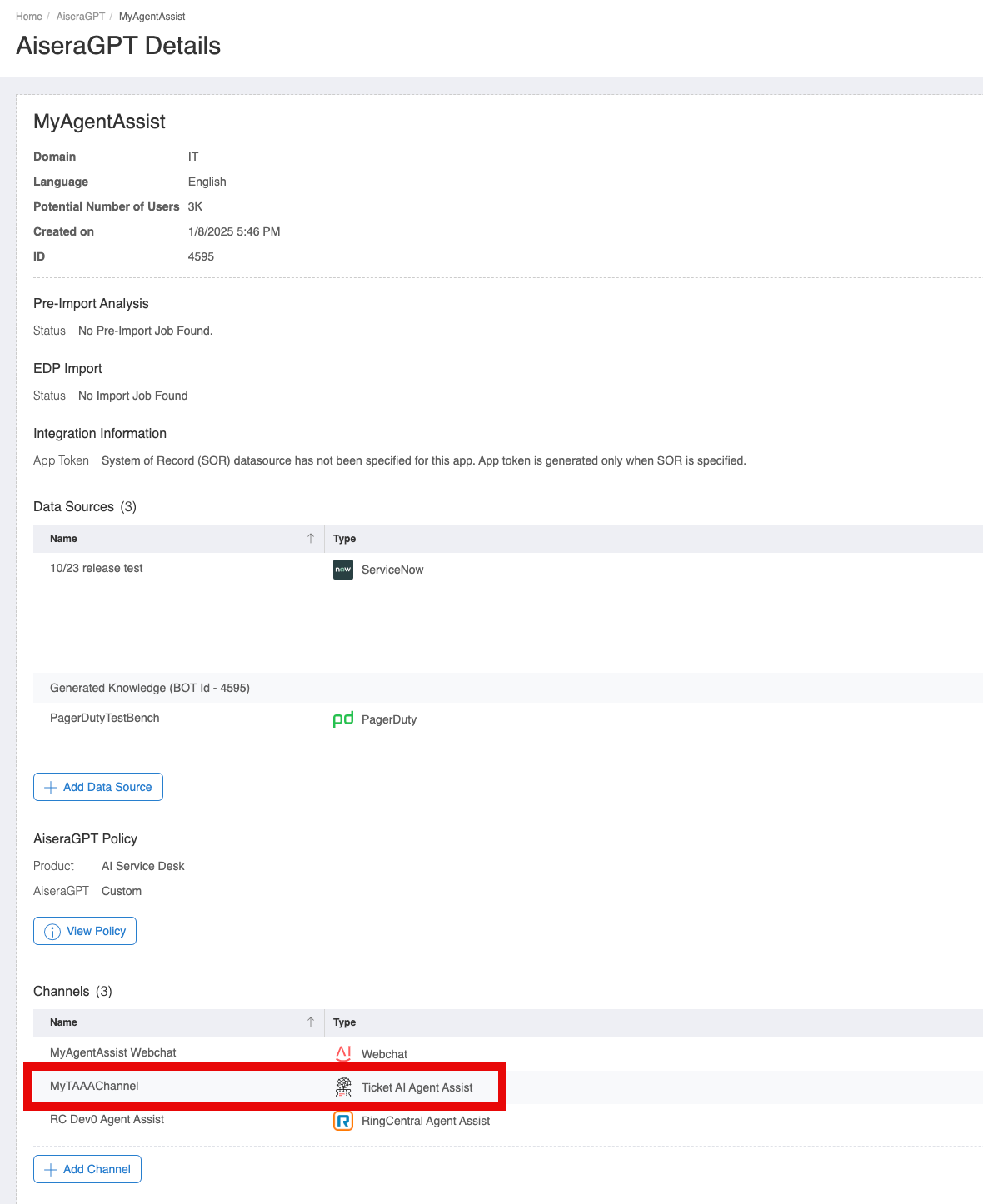
2. In the **AiseraGPT Details** window, choose the Agent Assist channel.
AiseraGPT Details Window
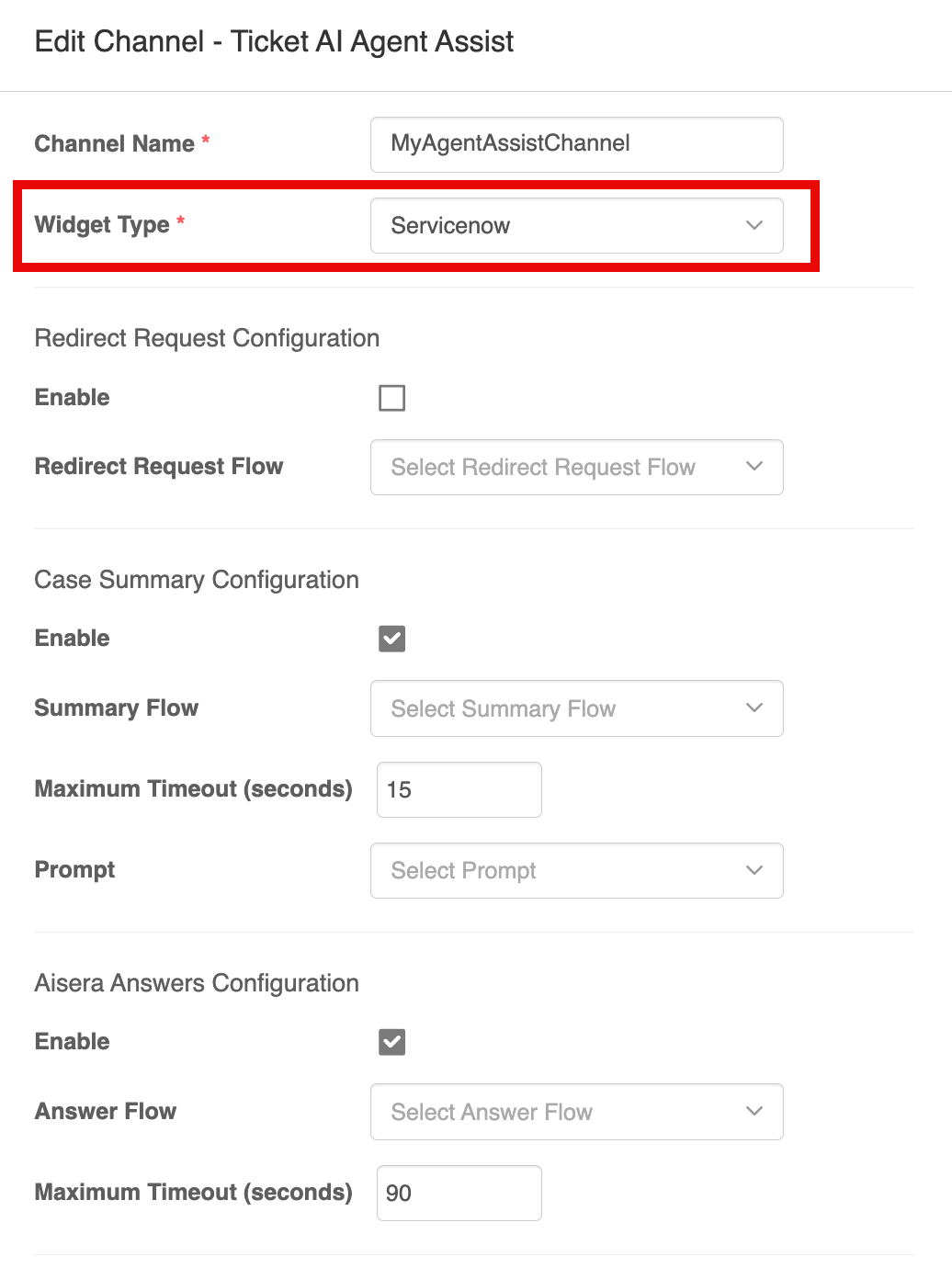
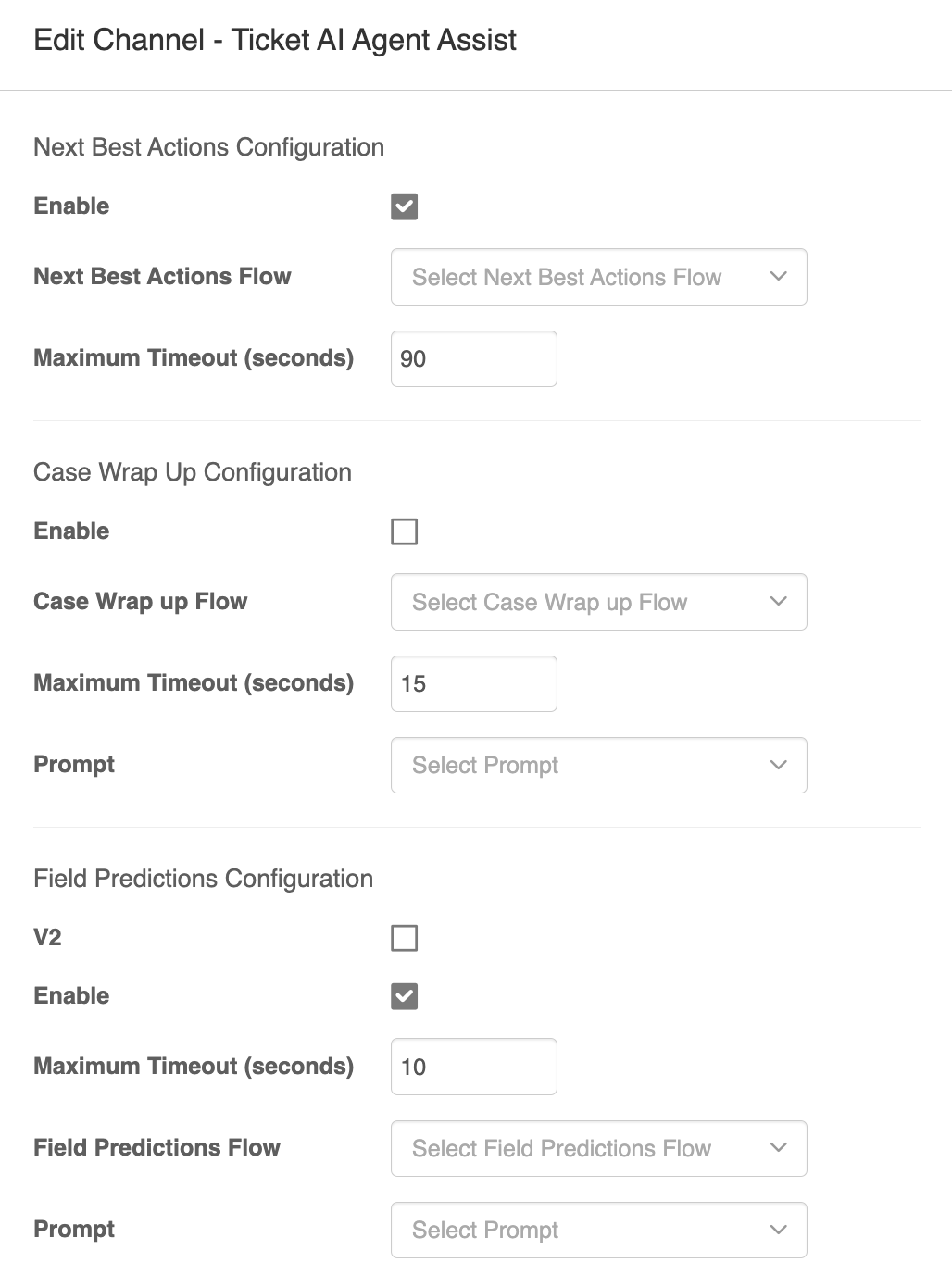
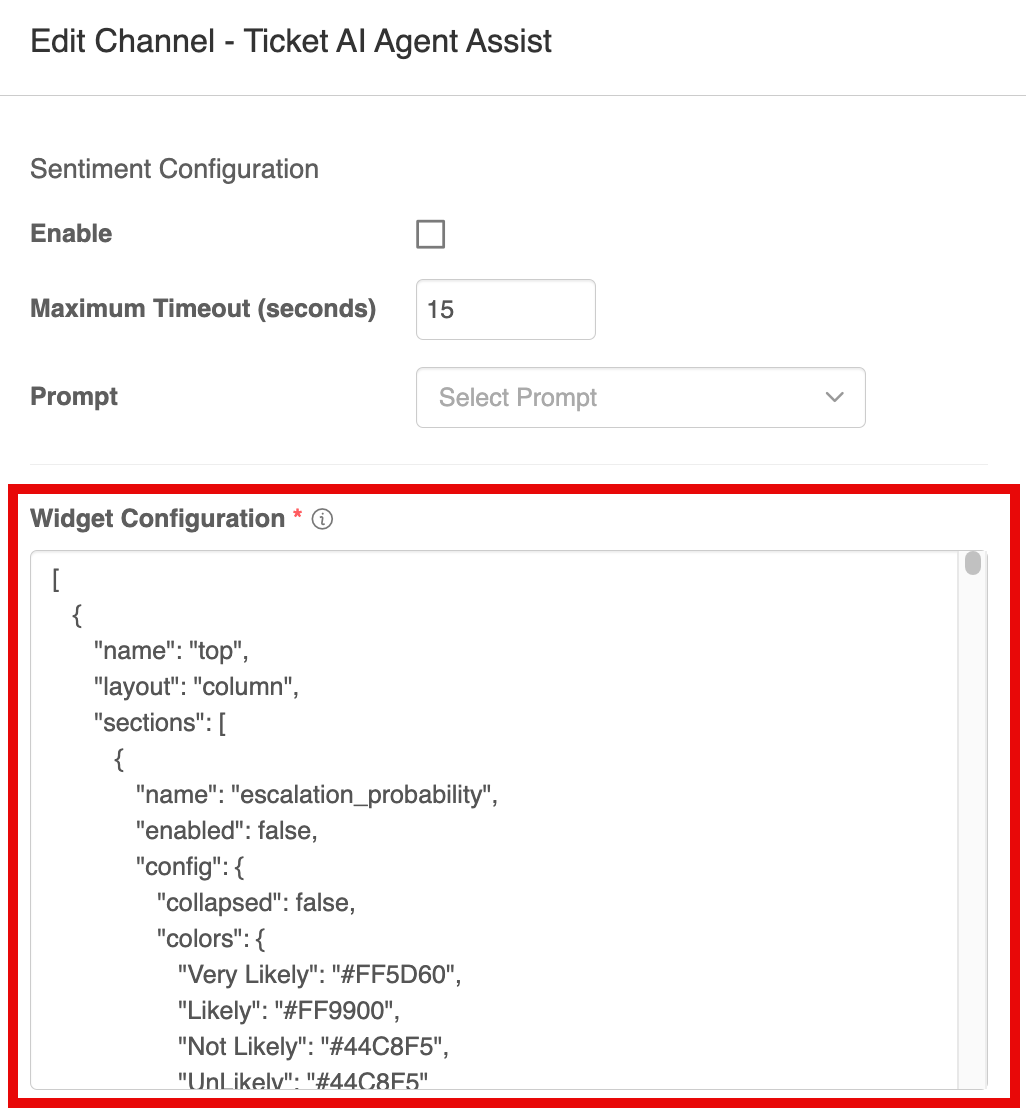
3. In the **Channel Details** window, select Enable for the following checkboxes:
Agent Assist Channel Details
Edit Ticket AI Agent Assist Channel
4. Add code for the **Widget** configuration, based on your Data Source:
5. Choose one of the links below for code you can paste into the Widget Configuration \
per data source:
1. [**Salesforce Widget**](/agent-assist/adding-the-ticket-ai-agent-assist-channel/agent-assist-widget-configuration/salesforce-widget.md)
2. [**ServiceNow Widget**](/agent-assist/adding-the-ticket-ai-agent-assist-channel/agent-assist-widget-configuration/servicenow-widget.md)
3. [**Zendesk Widget**](/agent-assist/adding-the-ticket-ai-agent-assist-channel/agent-assist-widget-configuration/zendesk-widget.md)
6. Include the following code in the **Policy** parameter field, and verify that the **`regService`, `intentExtractionService,`** **`summaryService,`** and **`nextBestAction`** fields are set to `true`:
```
{
"enabled": true,
"queryFields": [
"title",
"description"
],
"preProcessingV2": {
"title": "function setTitle(title) { if (title.startsWith(\"'\")) { title = title.replace(\"'\", ''); } if (title.endsWith(\"'\")) { title = title.substring(0, title.length - 1); } return title;}",
"description": "function(description){var pre = 'Message: Short Description of Issue:';var i=description.toLowerCase().indexOf(pre.toLowerCase());if(i>=0){return description.substring(i+pre.length(), description.length());}return description;}",
"searchText": "function setTitle(title) { if (title.startsWith(\"'\")) { title = title.replace(\"'\", ''); } if (title.endsWith(\"'\")) { title = title.substring(0, title.length - 1); } return title;}"
},
"processing": {
"method": "sequential",
"fields": [
"title",
"title+description"
],
"sequentialStopScore": 90
},
"confidenceScoreThreshold": {
"intent": 20,
"bol": 60,
"keywordsearch": 30,
"kbClassifier": 40
},
"scoreNormalization": {
"kb_classifier": "function(score){return (score-80)*(100-95)/(100-80)+95;}",
"intent": "function(score){return (score-80)*(100-95)/(100-80)+95;}",
"bol": "function(score){return (score-60)*(95-90)/(100-60)+90;}",
"keywordsearch": "function(score){return (score-30)*(90-85)/(100-30)+85;}",
"publicKBs": "function(score){return 90;}"
},
"maxNumOfKB": 5,
"kbPredictionMode": "NORMAL",
"enableEntityMatching": false,
"expandClassAsEntity": false,
"maxNumOfIntents": 10,
"cannedAnswer": {
"enabled": false,
"defaultQueryText": "function getDefaultQueryText(input) { return \"\";}",
"searchText": "function setTitle(title) { if (title.startsWith(\"'\")) { title = title.replace(\"'\", ''); } if (title.endsWith(\"'\")) { title = title.substring(0, title.length - 1); } return title;}",
"datasourceId": "1",
"botId": 2,
"favorites": true,
"useScript": true,
"script": "function templates(input) { const botId = 2;if(input.type && input.type == 'Incident') console.log('@@@@@input = ' + JSON.stringify(input)); else console.log('@@@@@@ inside else'); return botId;}"
},
"freeFormSearch": {
"enabled": true,
"isSearchOnly": false
},
"autoCompleteTickets": {
"datasourceId": "17",
"maxTickets": 300
},
"predictionPostProcessing": {
"similarConversations": "function(predictionObj) { console.log('inside similarConversations' + JSON.stringify(predictionObj));return predictionObj.responseData;}"
},
"predictions": [
"predictionsV3"
],
"useTenantClientRestAPI": true,
"useKBClassifier": false,
"useKBClassifierV2": true,
"KBClassifierMode": "append",
"predictionTimeout": {
"similarTickets": 10,
"search": 6,
"icmv2": 20,
"sentiment": 20,
"escalation": 5,
"nlp": 10,
"summary": 10,
"answer": 90,
"intentExtraction": 5
},
"aclKeys": [],
"ragService": {
"enabled": true,
"flowId": "e7752e43-398c-4a4c-a64d-b30e3313df9c",
"deadlineInSec": 90
},
"intentExtractorService": {
"enabled": true,
"formatter": "function(output){ console.log('intentExtractorService formatter ' + output.data);return output.data;}",
"preProcessMessage": "function(message){return message;}",
"requestParameters": "function(requestParameters){return [];}"
},
"summaryService": {
"enabled": true,
"flowId": "e33c2845-2549-4e28-8edf-6db503d5fa50",
"deadlineInSec": 30
},
"sentimentService": {
"enabled": false,
"formatter": "function(output){ console.log('sentimentService formatter ' + output.data);return output.data;}",
"preProcessMessage": "function(message){return message;}",
"requestParameters": "function(requestParameters){return requestParameters;}"
},
"similarConversations": {
"summaryEnabled": true
},
"nextBestAction": {
"enabled": true,
"flowId": "cb34c80b-1180-4b92-bd0e-dae891416ff2",
"deadlineInSec": 90
}
}
```
5. Use the default settings for the remaining fields.
\