> For the complete documentation index, see [llms.txt](https://docs.aisera.com/llms.txt). Markdown versions of documentation pages are available by appending `.md` to page URLs; this page is available as [Markdown](https://docs.aisera.com/product-release-notes/2025/bi-weekly-product-release-notes-may-21-2025.md).
# Bi-Weekly Product Release Notes - May 21, 2025
## Features
The following features have been added to the Aisera GenAI Platform in this release.
### Ontology
The following features have been added to **Ontology** in this release.
#### Ontology Generation from KB Articles
You can now generate Ontologies from the Knowledge Base Articles that you have ingested into your Aisera tenant, after adding a Data Source to your application/bot. With this release, you can generate domain-specific **Ontology Entities** from specific data sources (the body text of documents in private KB Articles) as well as synonymous terms for these **Entities**.
| **Ontology Terms** | **Definitions** |
| ------------------ | ----------------------------------------------------------------------------------------------------------------------------------------------------------------------------------------------------------------------------------------------------------------------------------------------------------------------------------------------------------------------------- |
| Entity | A term that is relevant to the domain and customer use case. These include: acronyms, nouns, and noun phrases. |
| Synonyms |
Terms that are used interchangeably in similar language contexts.
There are 3 types of synonyms in the Aisera Gen AI platform:
|
There are two scenarios for generating Ontologies:
1. You have created an application/bot that is not associated with the IT, CS, or HR Domains.
2. You have created an application/bot and chosen an IT, CS, or HR Domain during the creation process. In this case, your bot is using a default ontology from the specified domain.
In either use case, the process for running an **Ontology Generation** job is the same.
**To generate an Ontology from KB Articles:**
1. Navigate to the **LLMs > Ontology** menu item in the Aisera Admin UI.

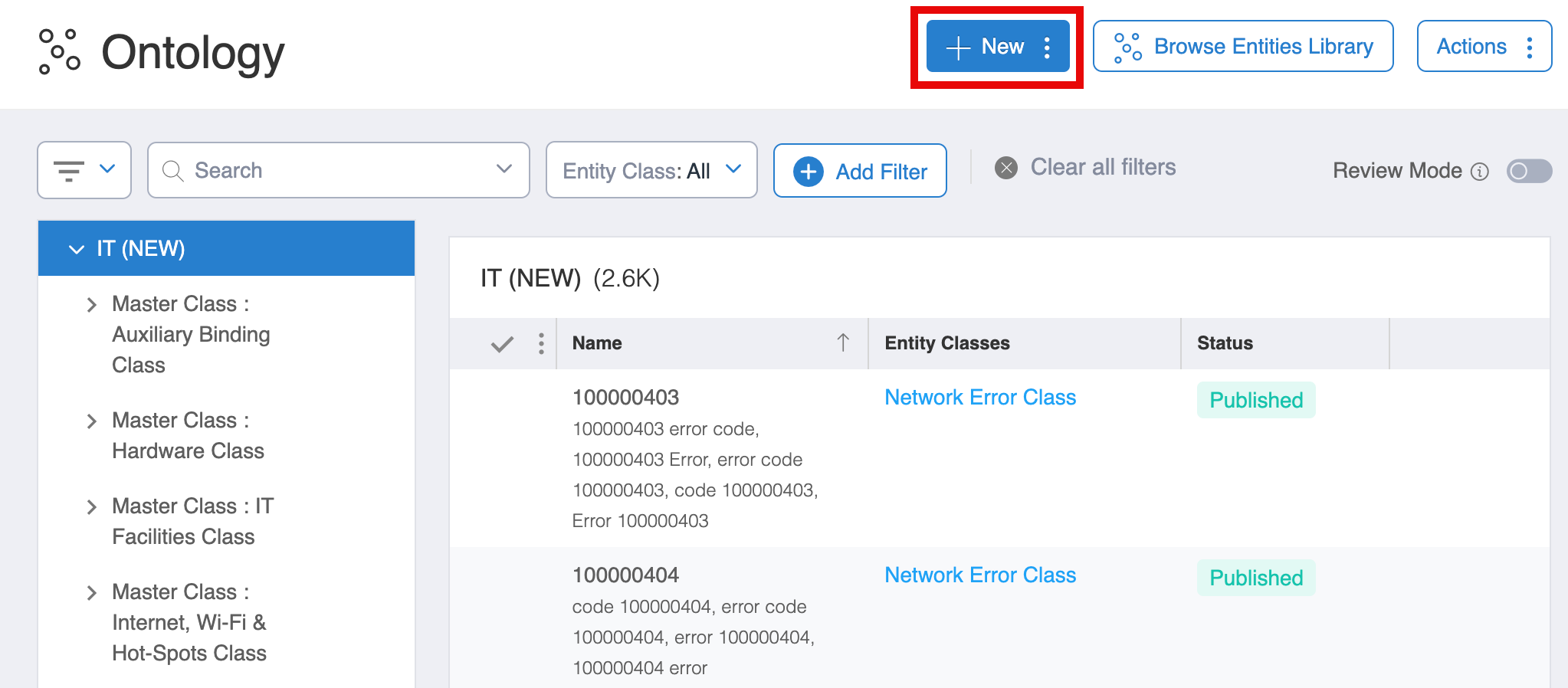
2. Choose the **+ New** button at the top of the window.
Select the + New Button
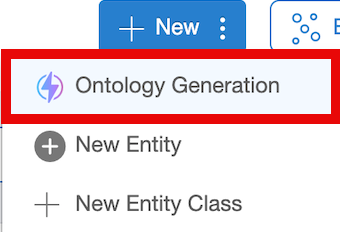
3. Select **Ontology Generation**.
4. Create a **Name** for your **Ontology Generation Job** and specify the **Data Source**. Enter both the **Domain** (if you didn’t choose one when creating your bot), and a **Description** of the Use Case(s) for your application/bot in the **Use Cases** field.

5. Click the **OK** button.
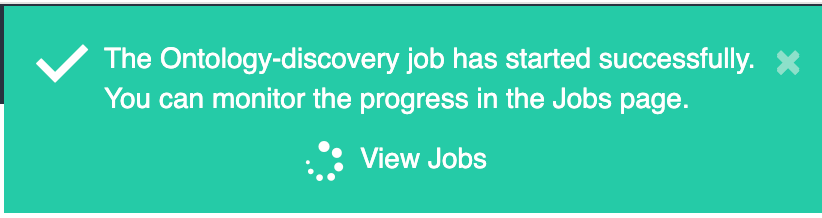
Now you will see a **Success** message that tells you the **Ontology Generation Job** has begun.
6. Click **View Jobs** within the Success message to see the job status.
7. When the job is complete, return to the **LLMs > Ontology** page and toggle the **Review Mode** switch to the **ON** position.

8. Now you can see the new **Entities** and their associated **Synonyms** at the top of the page. On each line of the results, choose the **Green** (left) dot to **Accept** the new **Entity**, choose the **Red** (right) dot to **Reject** the new **Entity**, or choose the **pencil icon** to **Edit** the new **Entity**.
### Conversational AI 2.0
The following features have been added to **Conv AI 2.0** in this release.
#### Try the 2.0 Workflow Search With a Test Bot
You can now ask your Aisera team to help you set up a **Conversational AI 2.0** workflow at the bot level, instead of the tenant level, to test out the search and fulfillment capabilities.
If you want to try this option, ask your Aisera CSM to enable the appropriate feature flags.
#### Ability to Make Time-Related Requests
With this release, you can now make requests such as,
* What are the titles of the Knowledge Base Articles added in the past 40 days?
* Who won the Outstanding Team Award in the last quarter of 2025?
* How many shopping days are there until Christmas?
* Will there be any public holidays in the next 10 days?
* Do we have a long weekend at the end of the month?
If your bot is set to use **Conversational AI 2.0**, and the **Time Detection** flag is selected in the **Conversational AI Policy** settings for that bot.
## Enhancements
The following enhancements have been added to the Aisera GenAI Platform in this release.
### AI Lens
The following enhancement has been added to **AI Lens** in this release.
#### Debug Workflows and Hyperflows Using AI Lens
The AI Lens feature allows you to test your bot after creation and perform some preliminary tests, if you are a customer with Administrator privileges in your Aisera Gen AI platform instance.

With this release, you can use AI Lens to see the debug information for your bot’s workflows and hyperflows while the bot is running.
**To see the debug information for your bot workflow or hyperflow:**
1. Choose **AI Lens** in your Aisera Admin UI.
2. Select your bot from the pull-down list at the top of the **AI Lens** window. You will see a bot interface on the AI Lens window.
3. Add a **Request**. (AI Lens requests will not be recorded in Aisera analytics.)

4. After you add a Request, you will see the bot functions on the right side of your window.

Choose the **Show More** link to see the **flowDebugInfo** and **flowDebugInfo2** methods as they are running.
**NOTE:** You can also test Workflows and Hyperflows using the Test button on the AI Automation > AI Workflow Studio window.
### Conversational AI 2.0 - Channels
The following enhancement has been added to **Channels** in this release.
#### LLM Responses in HTML if Markdown Not Supported
The Markdown text format is supported only in Webchat, Webex, and Co-Pilot; other channels treat content as HTML. Therefore, LLM responses are formatted as HTML for all channels where the Markdown format is not supported.
### Aisera Gen AI Platform Upgrade
The following enhancement has been added to **Aisera Gen AI Platform** in this release.
#### Upgrade to Backend Models
As part of ongoing improvement and reliability of our platform we will be updating the large language models (LLM) used with your Aisera products. These improvements will result in increased response accuracy and reduced latency, enabling an even better experience for your users.\
\
This upgrade will not affect any existing functionality.
As part of the natural AI SaaS lifecycle, support for older models is phased out as newer, more capable models become available. Our team at Aisera has conducted extensive testing and validation to ensure a seamless and stable transition. We do not anticipate any disruption to your services.
In the unlikely event that you observe any unusual or unwanted behavior following the upgrade on 5/21, please don't hesitate to[ contact Aisera Support](https://aisera.com/contact/).