> For the complete documentation index, see [llms.txt](https://docs.aisera.com/llms.txt). Markdown versions of documentation pages are available by appending `.md` to page URLs; this page is available as [Markdown](https://docs.aisera.com/product-release-notes/2025/bi-weekly-product-release-notes-apr-2-2025.md).
# Bi-Weekly Product Release Notes - Apr 2, 2025
## Features
The following enhancements have been added to the Aisera GenAI Platform in this release.
### Tickets
The following enhancements have been added to Tickets in this release.
#### Change Requests Added as Ticket Type
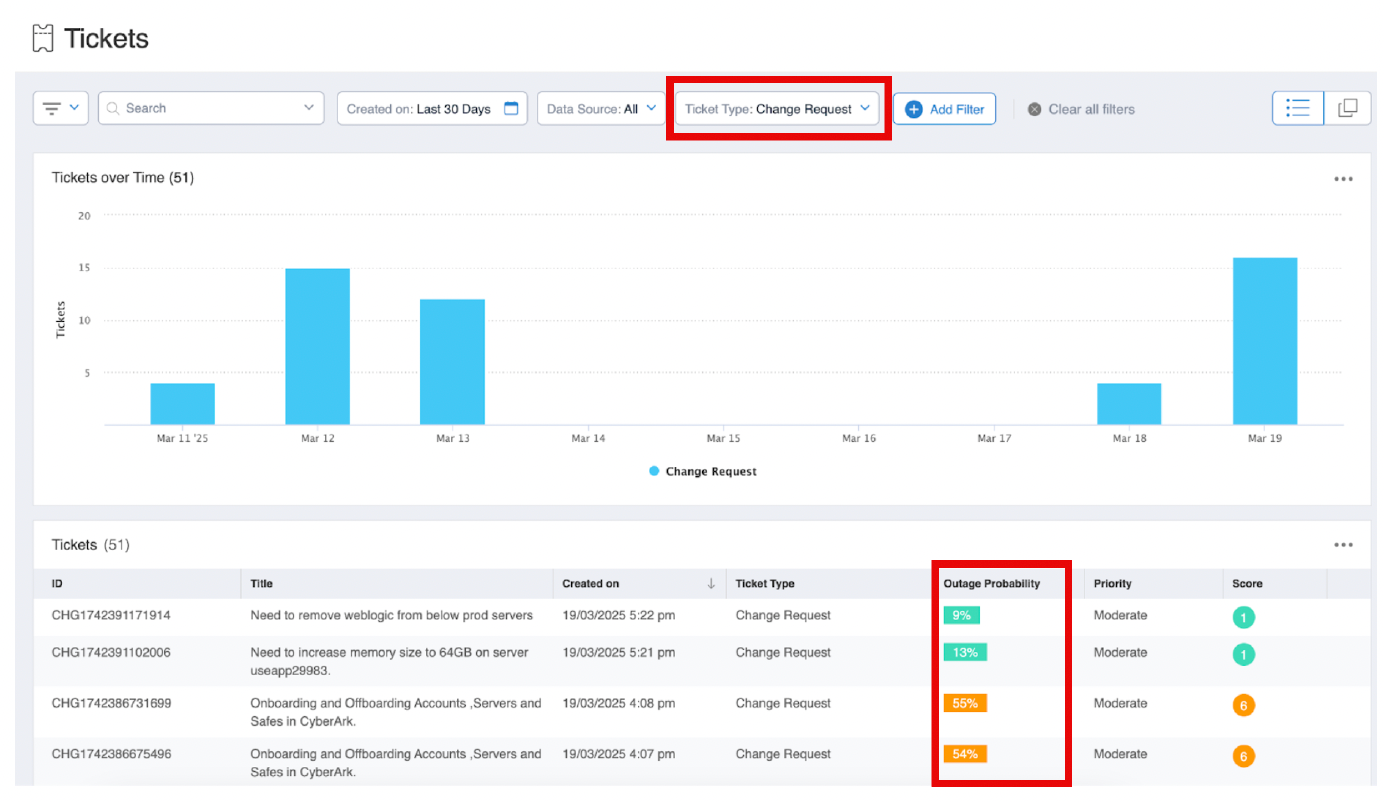
With this release, you can upload Tickets that have a Change Request Type. Change Request Tickets can be used for planned activities like maintenance downtime or unplanned activities like outages.
The screenshot below displays a Change Request Ticket.
Ticket of Type Change Request
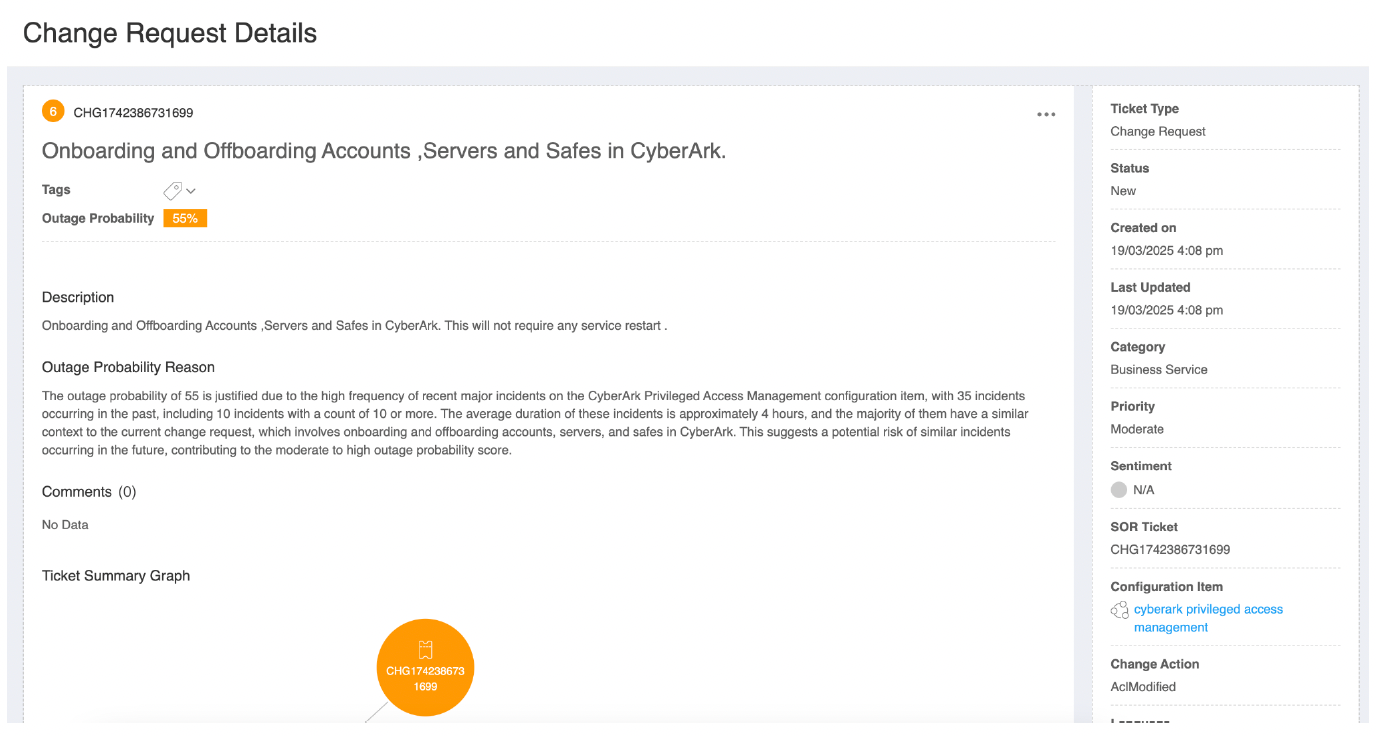
Tickets that have **Change Request** as the **Ticket Type** include the **Outage Probability** and **Reason** parameters that allows you to track and predict future downtime.
Details of Change Request Ticket
When you choose a **Change Request** Ticket from the **Tickets** list, the **Change Request** **Details** page shows you both the **Outage Probability** (calculated when the ticket was created) and the **Reason** for the outage.
## Enhancements
The following enhancements have been added to the Aisera GenAI Platform in this release.
### Channels
The following enhancements have been added to Channels in this release.
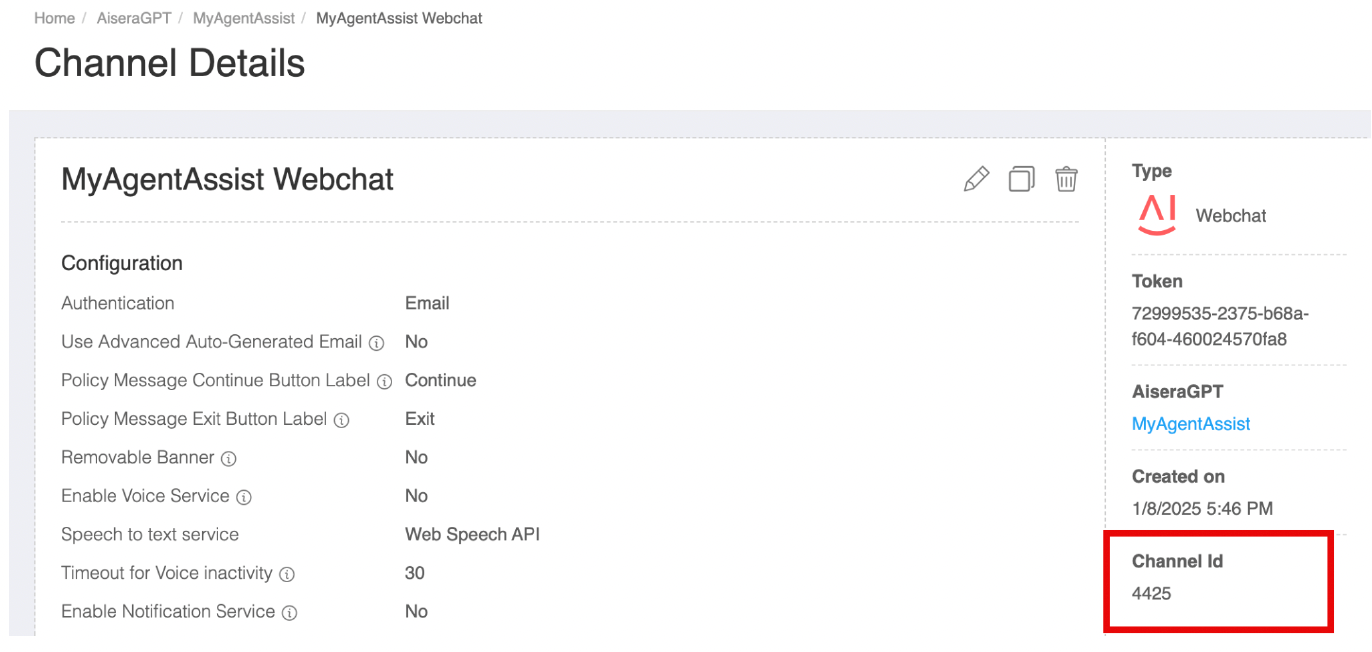
#### Channel Details Includes Channel ID
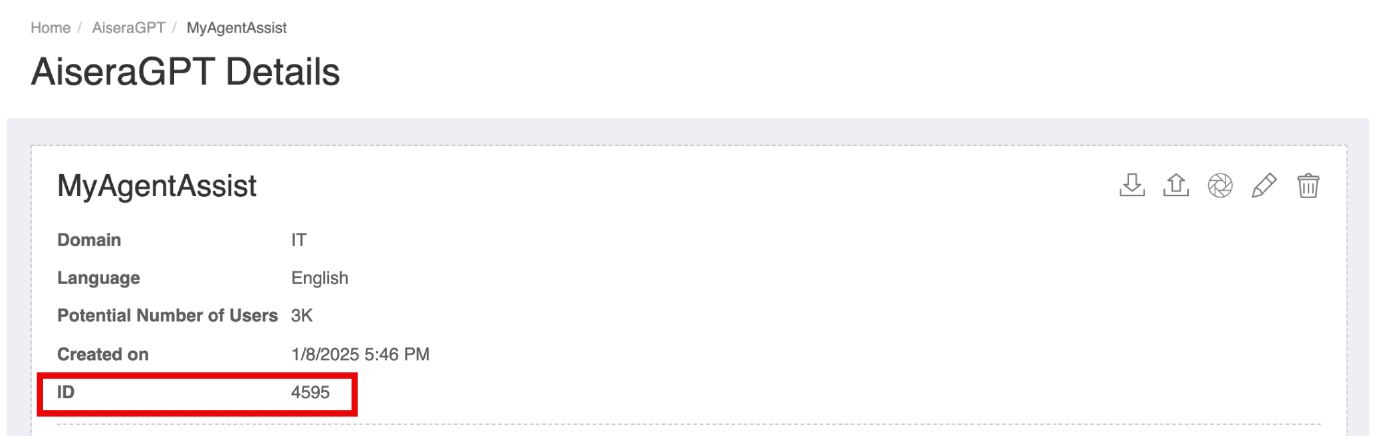
When you are viewing your Bot/Application **Details** page, you can see the **ID** for your Bot/Application in the top left corner of the window.
Application/Bot ID
When you choose one of your **Channels** on the Bot/Application **Details** page, you will see the **Channel Details** page.