> For the complete documentation index, see [llms.txt](https://docs.aisera.com/llms.txt). Markdown versions of documentation pages are available by appending `.md` to page URLs; this page is available as [Markdown](https://docs.aisera.com/product-release-notes/2024/bi-weekly-product-release-notes-oct-11-2024.md).
# Bi-Weekly Product Release Notes - Oct 11, 2024
## New Features
The following features were added to the Aisera platform in this release.
### Knowledge Learning and Generation
The following features have been added to **Knowledge Learning** or **Knowledge Generation** in this release.
#### Auto-Commit for Knowledge Generation
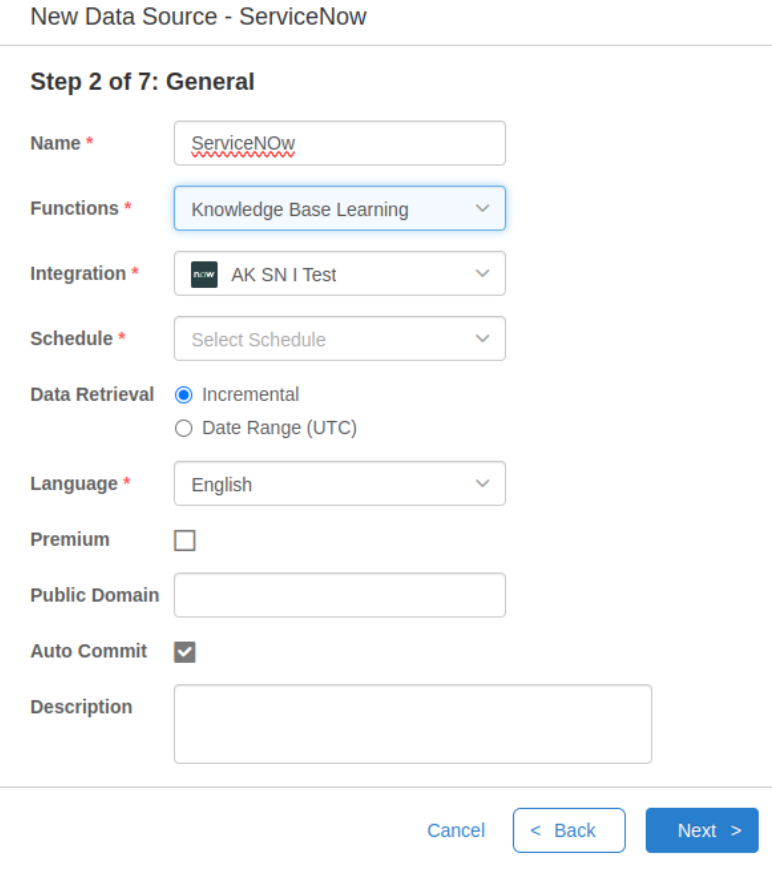
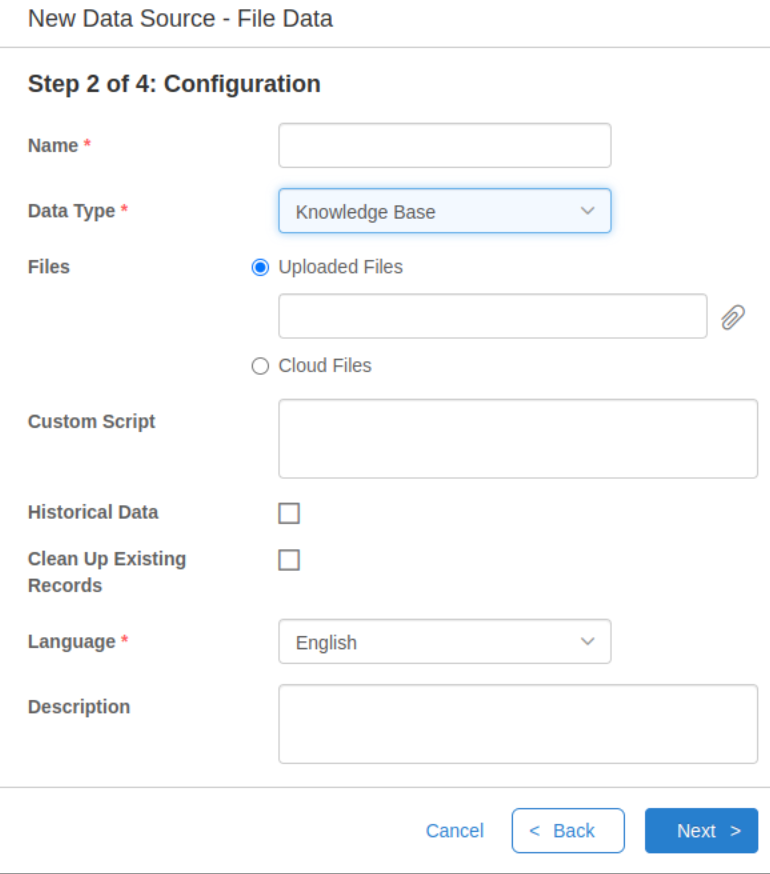
You can now set the auto-commit feature where the Data Source function or Data Type is set to Knowledge Base Learning, or Knowledge Base, respectively.
In the following example, the **Data Source Function** is set to **Knowledge Base Learning**.
\
In the example below, the **Data Type** is set to **Knowledge Base**.
#### Attachments can be Ingested as KBs in Knowledge Learning
File attachments (such as PDFs) can be ingested as separate KBs during Knowledge Learning. You can activate the option to ingest these attachments as autonomous files using the **processFiles** parameter in the **Data Source** configuration.
## Enhancements
The following enhancements have been added to the Aisera GenAI Platform in this release.
### AI Search
#### Icons Added to Enterprise Search
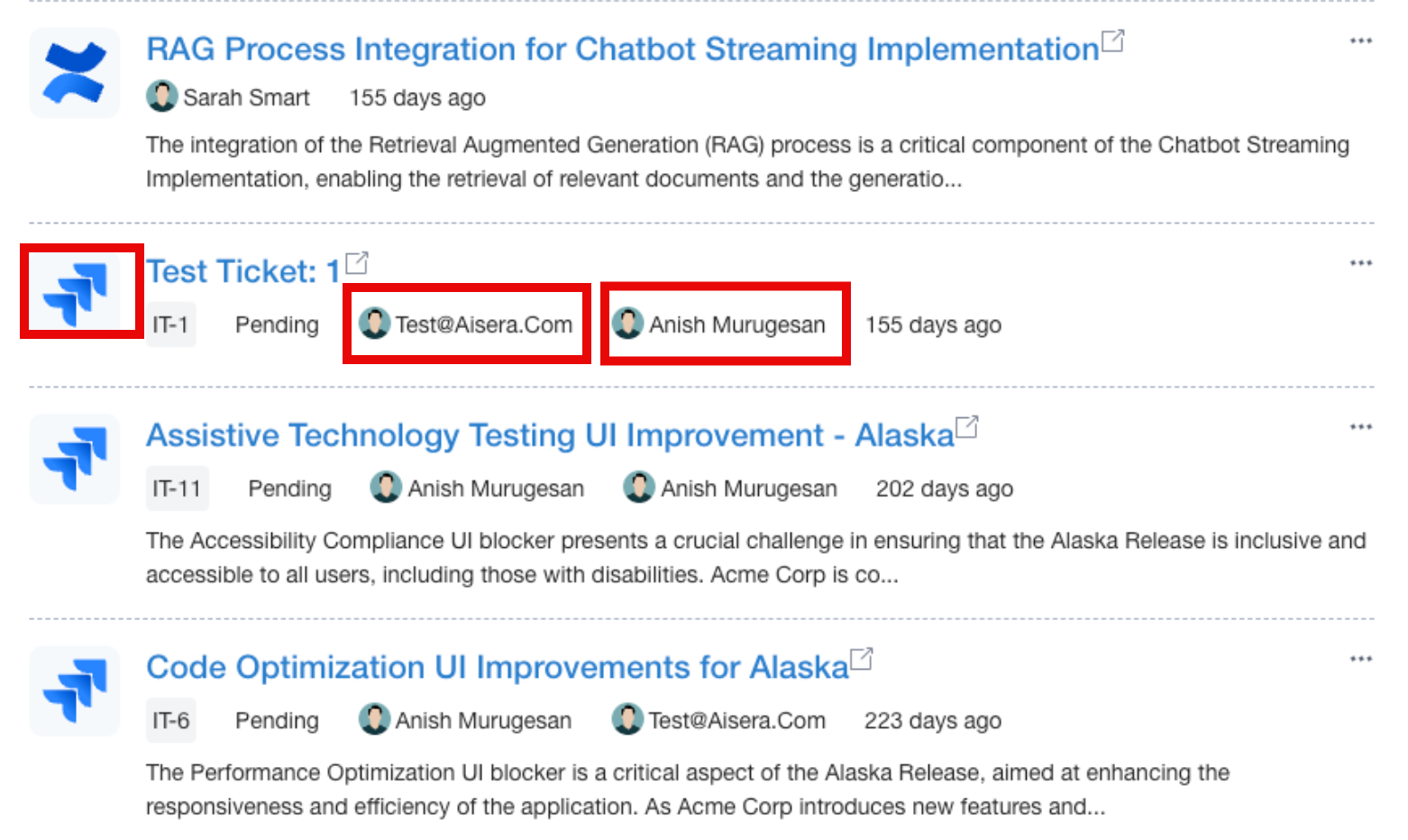
The Enterprise Search feature has been enhanced to return an icon of the retrieved article type, along with the Username and Assignee name.
### AiseraGPT Bot
#### Markdown Enabled by Default
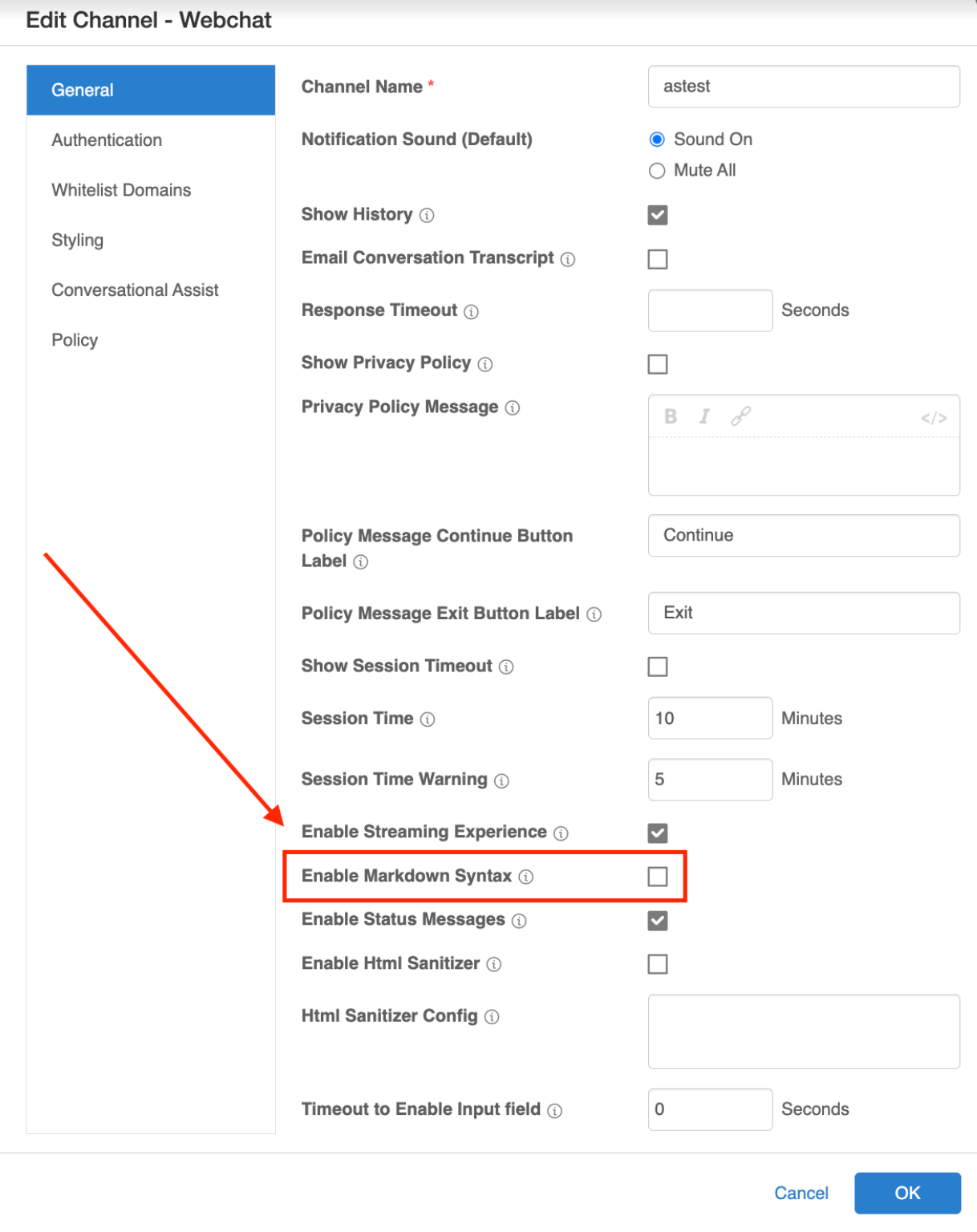
When you create a new Aisera application or bot, Webchat Markdown Support is enabled by default.
**Note:** Ensure the Webchat channel is not open when editing configuration.
**To disable the Markdown Support:**
1. Open the Channel Configuration.
2. Uncheck the **Enable Markdown Syntax** field (while the Webchat channel is not open).
3. Click **OK** to save the modified configuration.
4. Wait 1 minute.
5. Open and Test your application or bot. (Markdown syntax should now be disabled.)