> For the complete documentation index, see [llms.txt](https://docs.aisera.com/llms.txt). Markdown versions of documentation pages are available by appending `.md` to page URLs; this page is available as [Markdown](https://docs.aisera.com/aisera-platform/tenant-setup/aisera-platform-configuration/audit-trail.md).
# Audit Trail
Track user and systems actions in your tenant
## Logs
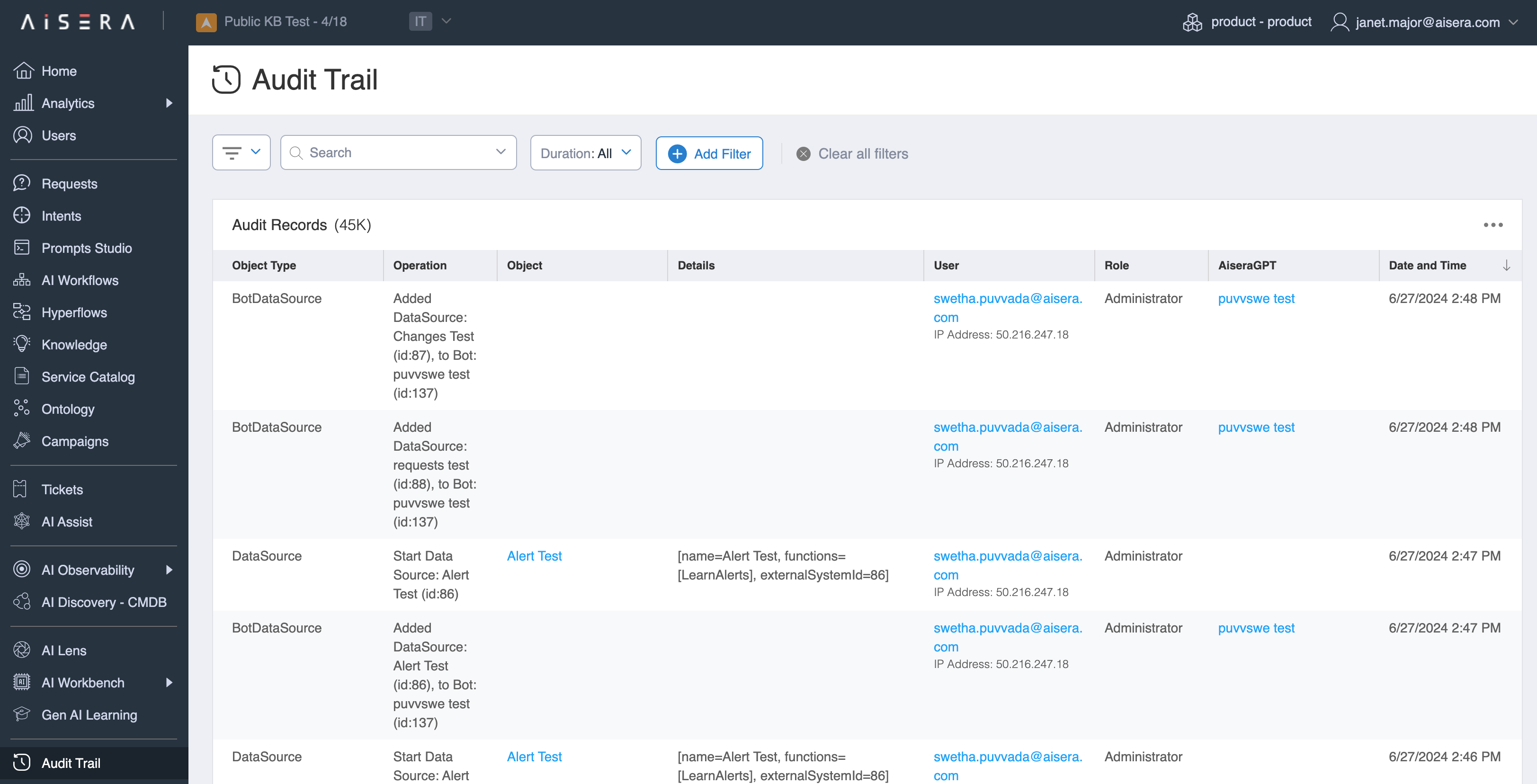
The Aisera Platform tracks all operations performed within your tenant. You can view these logs by selecting **Audit Trail** in the left navigation pane in the Admin UI. The logs document system events, data ingestion, processing, and user-initiated actions. They include details about the initiator of actions, enabling comprehensive auditing and accountability.
The Aisera platform allows exporting logs to third-party applications. For instructions, see the [Exporting Logs to External Systems](/aisera-platform/tenant-setup/aisera-platform-configuration/audit-trail/exporting-logs-to-external-systems.md) document.
## AI Observability
Use the **AI Observability** option to analyze **Potential Issues** (previously **Major Incidents**) and **Intelligent Alerts**.