> For the complete documentation index, see [llms.txt](https://docs.aisera.com/llms.txt). Markdown versions of documentation pages are available by appending `.md` to page URLs; this page is available as [Markdown](https://docs.aisera.com/aisera-copilot/using-aisera-assistant-copilot/customize-file-parameters-message.md).
# Customize File Parameters Message
The Aisera **Copilot** Channel allows you to upload and view files in your bot UI, as well as save Conversations.
Copilot Bot
## Display File Limits for Copilot Users
You can customize the message that bot users see before they upload files in the Aisera Copilot bot. This allows you to tell users about the file limits per bot, before they attempt to upload.
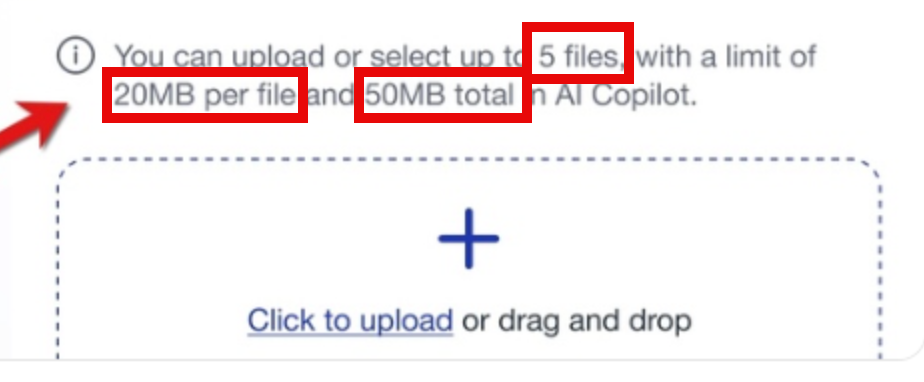\
You can specify the following parameters in this message:
* File size limit
* File count per thread limit
* Total file size per thread limit
The configuration settings for these parameters are located in the [**Channel** **Details**](/aisera-copilot/how-to-setup-aisera-assistant-copilot/test-your-aisera-assistant-copilot.md) settings for your Aisera Copilot.
**To set these parameters:**\
1\. Navigate to **Settings > AiseraGPT** in the Aisera Admin UI.\
2\. Choose your **Aisera Copilot** bot.\
3.Click on your **Copilot Channel** within the bot **Details** window.\
4\. Select the **pencil (Edit) icon** in the upper right corner of the **Channel Details** window.\
5\. Set the parameters according to your system space.